
Broadcast Bot
Opt-in DM announcements, delivered safely
What does it do?
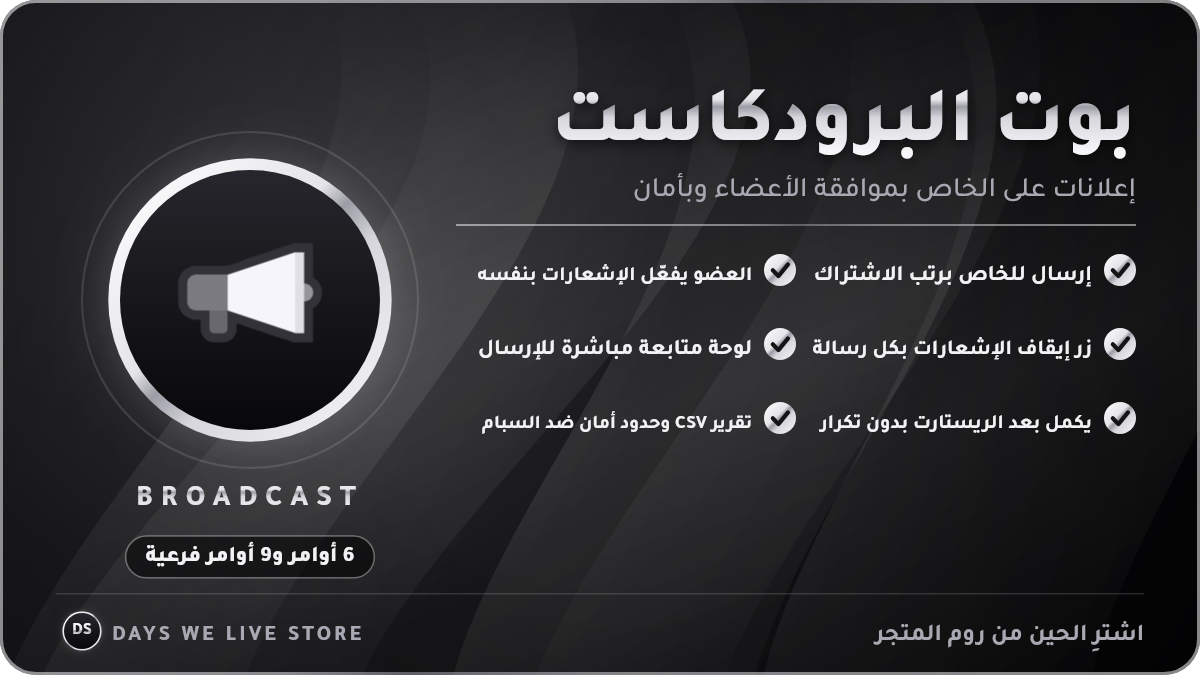
Send DM announcements to your server members in a safe, respectful way. The bot messages only members of roles the server owner registers, members opt in themselves with a button, and every message includes a “Stop notifications” button that turns them off instantly.
⚠️ Important: Discord prohibits unsolicited mass DMs (spam), and a bot that sends them gets banned along with its owner. That is why this bot is built on opt-in consent: DMs reach only members who took the subscription role themselves, or your staff team, and always within fixed safety limits. Do not try to use it to message your entire server.
| Privileged Intents | Server Members Intent ⚠️ (must be enabled in the bot's application settings on Discord) |
| Intents | Guilds, GuildMembers, GuildVoiceStates |
| Permissions | View Channel, Send Messages, Embed Links, Attach Files, Read Message History, Manage Roles, Connect — invite permissions value 269601792 (no Administrator required) |
- Subscription roles: members take these themselves with the “Enable DM notifications” button in a public channel, and can drop them at any time. The bot refuses any subscription role that carries administrative permissions.
- Staff roles: for your moderation team. They must carry a moderation permission such as Kick, Ban or Timeout, and can't be held by more than 20% of the server.
- A “Stop notifications” button on every message: it removes the subscription role instantly and records the opt-out, so nothing reaches that member even if someone gives them the role again manually. This button always works, even after the server's subscription has expired. Members can switch notifications back on themselves with the “Turn notifications back on” button.
- Live tracking panel in the staff channel, refreshed every 5 seconds: how many messages were delivered, how many are still pending, and how many failed (with the reason), plus buttons to pause, resume, cancel, and export a CSV report.
- Restart-safe: after any restart, sending picks up exactly where it left off without messaging anyone twice.
Ready in minutes
Once the bot is in your server:
- 1Type
/notify helpfor a step-by-step setup guide showing the status of each step. - 2Set the tracking panel channel with
/notify config staff_channel:#روم-الإدارة. - 3Register the subscriber role with
/notify roles add, then post the opt-in button with/notify panel. - 4Type
/notify sendfor your message, check the preview and recipient count, then press “Send”.
Pick your plan
Pricing is coming soon
We’re finalising our prices — follow our server to hear the moment they go live.
Get announcements on our server📋 Command list
Commands are available to members with Manage Server or the manager role chosen by the owner:
| Command | What it does |
|---|---|
/notify config [staff_channel] [manager_role] [clear_manager_role] [min_delay] [max_delay] | Set the staff channel, the manager role (or remove it), and the sending pace (1–2 s by default; the fastest allowed is one message per second). With no options, it shows the current settings. Manage Server only |
/notify roles add role type [cooldown_hours] | Register an allowed role (subscription or staff) and the minimum gap between two sends to it (6 h by default, 1 hour minimum) |
/notify roles remove role · /notify roles list | Remove allowed roles or list them |
/notify panel role channel [stop_button] [message] | Post the opt-in button in a public channel (subscription roles only) |
/notify send role | Send a message to an allowed role (form → preview → send) |
/notify history | The last 10 sends and their results |
/notify report [id] | CSV report for a send (member ID, name, status, reason, time) |
/تحديد-شات | Choose the channel for admin commands, the member channel, and where the tracking panel is posted |
/ping | Check the bot's response time |
Ready to get started?
Join our server, or pick your bot and buy it now with your Discord ID — no sign-up, delivered instantly.