
Tickets Bot
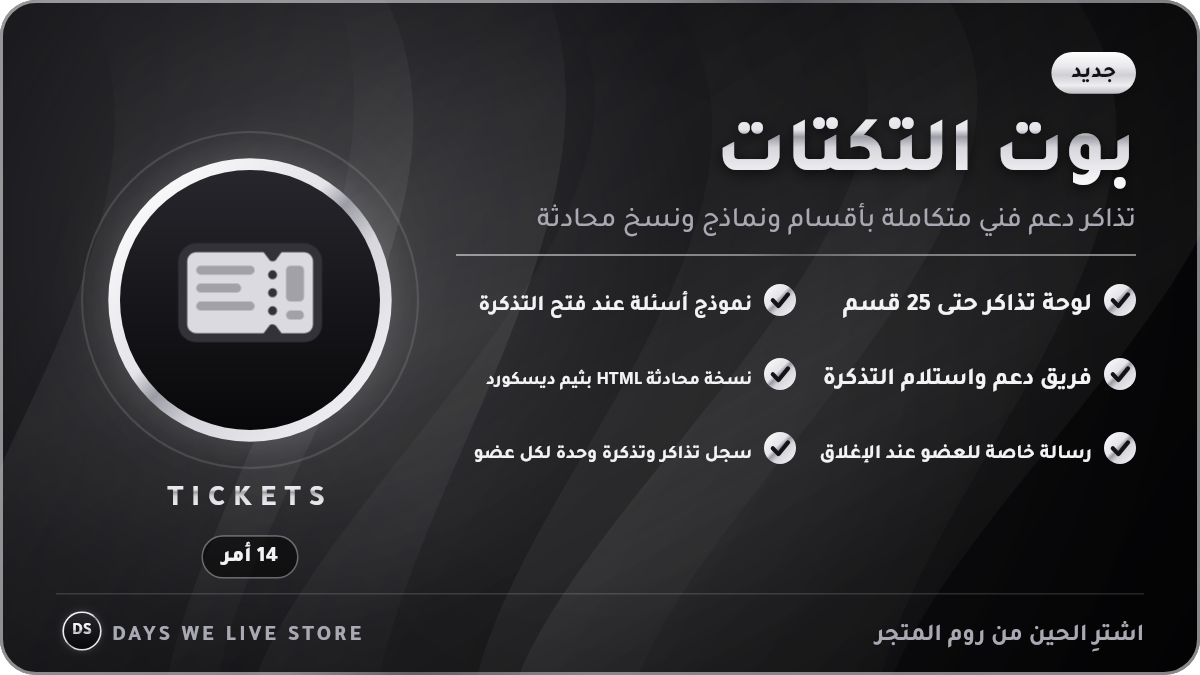
Full support tickets with categories, forms and transcripts
What does it do?
Tickets Bot is the exact ticket system built into System Bot (same commands, texts, buttons and behavior) as a standalone bot, bundled with only the help menu, the settings panel and تحديد-شات channel routing. Every server starts from a clean slate: any feature that needs a channel or role stays off until the server owner sets it.
| Feature | Details |
|---|---|
| 🎫 Ticket panel | A message with an image (optional, with an auto-generated banner), your text and a section picker (up to 25 sections, each with its own description and emoji) |
| 📝 Opening a ticket | A private channel named <القسم>-<اسم العضو> (section and member name) inside the category you choose, visible only to the ticket owner and the support team. Comes with a question form on open, a limit of one open ticket per member, and an optional automatic message |
| 🛡️ Support team | Anyone with Administrator or one of the "ticket roles" (up to 25). Inside each ticket they get a menu to close it, ping the ticket owner, add members and claim the ticket |
| 🔒 Closing | Confirmation with an optional reason, member access revoked, an HTML transcript, a "Ticket Closed" log entry and a DM to the ticket owner with a transcript button, then the channel is deleted after 5 seconds (this completes even across a restart) |
| 📄 Transcript | A standalone HTML page in Discord's dark theme with full Arabic support: the last 2,000 messages, images embedded within the upload limit, plus replies, embeds, attachments and mentions. Optionally, transcripts are copied to an external transcript server and a "View Online Transcript" button appears |
| 📜 Ticket log | A channel or thread for closures, transcripts and "Ticket Deleted" alerts (showing who deleted it, taken from the audit log) |
| 📖 Help menu | /اوامر: every bot command and subscription command, each with its description, who can use it, its slash name and an example |
| ⚙️ Settings panel | /لوحة: a "Tickets" page (every ticket-system setting) plus two "General" pages (prefix, language, color, footer, help link and more) |
🧭 Channel routing (تحديد-شات) | Set the admin-commands channel, the member-commands channel and where the ticket log goes (channel or thread) |
Ready in minutes
Once the bot is in your server:
- 1Move the bot’s role above the “ticket roles” so it can grant them access inside tickets.
- 2Type
$tipanel(or/لوحة→ “Tickets”) and set the log channel, category and ticket roles. - 3Set the image, categories, auto-reply, panel text and close confirmation.
- 4Type
$tsetupchat #الرومto post the ticket panel.
Pick your plan
Pricing is coming soon
We’re finalising our prices — follow our server to hear the moment they go live.
Get announcements on our server📋 Command list
🌐 General Commands (1)
| Command | Slash | Description | Who can use it |
|---|---|---|---|
$help | /اوامر | Help menu; help <أمر> shows a single command's details and help <قسم> lists a section's commands | Everyone |
⚙️ Settings Commands (4)
| Command | Slash | Description | Who can use it |
|---|---|---|---|
$panel | /لوحة | Control panel for the bot's settings (each section follows its commands' permissions) | Everyone (each member sees only the sections they're allowed to) |
$prefix | — | View or change the bot's command prefix in this server | Server owner |
$language | — | View or change the bot's language in this server | Server owner |
$تحديد-شات | /تحديد-شات | Set the admin-commands channel and the member-commands channel, and move the ticket log | Administrator |
Quick تحديد-شات formats: تحديد-شات ادارة #روم (admin channel) · تحديد-شات اعضاء #روم (member channel) · تحديد-شات لوق التذاكر #روم (ticket log, or ايقاف to turn it off) · تحديد-شات مسح ادارة|اعضاء (clear the admin or member channel). Ticket commands used inside a ticket, help and تحديد-شات work in every channel.
🎫 Ticket Commands (6)
| Command | Slash | Description | Who can use it |
|---|---|---|---|
$tipanel | — | Set up and configure the ticket system (opens the "Tickets" page of the control panel) | Server owner |
$tsetupchat #روم | — | Post the ticket panel in a channel | Server owner |
$add @عضو | /اضافة-عضو | Add someone to the ticket | Support team (inside the ticket) |
$remove @عضو | /ازالة-عضو | Remove someone from the ticket | Support team (inside the ticket) |
$rename الاسم | /تسمية-التذكرة | Rename the ticket (up to twice every 10 minutes) | Support team (inside the ticket) |
$close [السبب] | /اغلاق | Close the ticket (with an optional reason) | Support team (inside the ticket) |
💎 Subscription Commands (3)
| Command | Description | Who can use it |
|---|---|---|
/اشتراكي | The server's subscription status: plan, expiry date and renewal reminders | Everyone |
/تفعيل كود: | Activate a subscription code for this server | Members with Manage Server |
/البوت | The bot's profile: name, avatar, banner, bio and status | Subscription owner and server owner |
Without an active subscription, no command or button works in the server (a subscription card is shown instead). In total: 10 slash commands (7 for the bot + 3 for the subscription) and 4 prefix-only commands (tipanel tsetupchat prefix language).
Ready to get started?
Join our server, or pick your bot and buy it now with your Discord ID — no sign-up, delivered instantly.